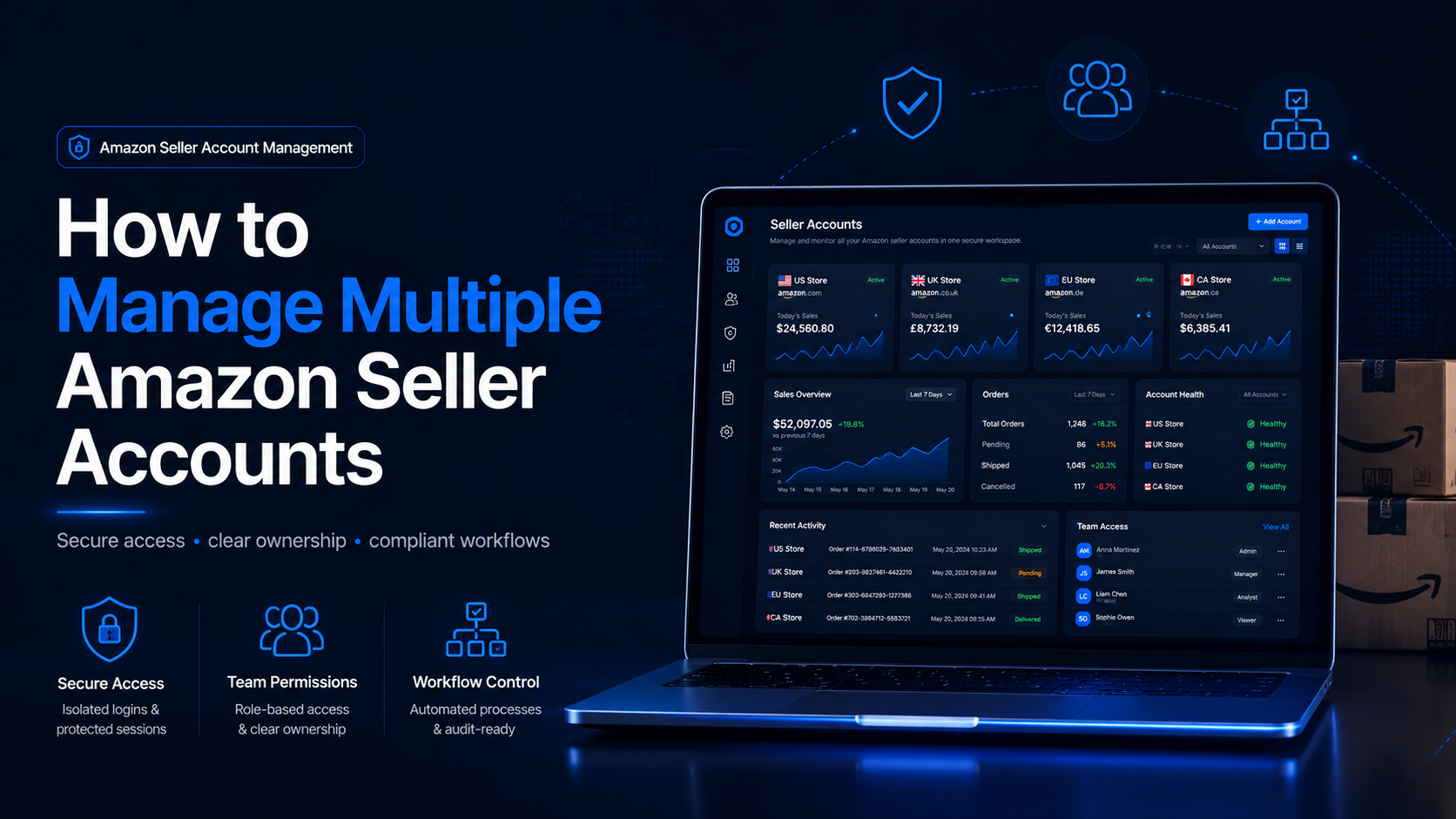

How to Manage Multiple Amazon Seller Accounts
Managing multiple Amazon seller accounts can be necessary for companies operating separate businesses, distinct brands, regional teams, or client portfolios. It can also create serious operational and compliance risks when ownership, permissions, account health, or login procedures are poorly documented.
The central challenge is not simply switching between Seller Central dashboards. Businesses must determine whether each account has a legitimate reason to exist, keep every account in good standing, protect sensitive credentials, and prevent employees from accidentally accessing or changing the wrong store.
Amazon generally permits only one Seller Central account per selling region unless the seller has a legitimate business need for an additional account. Amazon also expects all accounts operated by the seller to remain in good standing.
This means that software, separate devices, browser profiles, or different network connections cannot create permission to operate additional accounts. Technical tools can support an authorized structure, but they cannot replace Amazon’s policies or make an unjustified account compliant.
Quick Answer
To manage multiple Amazon seller accounts responsibly:
- Confirm that every additional account has a legitimate business purpose.
- Review Amazon’s current policy before creating another Seller Central account.
- Keep business ownership, tax, banking, and recovery information accurate.
- Give employees individual access through User Permissions.
- Grant only the permissions required for each person’s role.
- Enable Two-Step Verification for every Seller Central user.
- Assign each store a clearly documented operating workspace.
- Keep inventory, customer service, payments, and policy records organized.
- Check Account Health regularly.
- Never open another account to bypass a restriction or suspension.
A browser-profile platform such as Hidemium may help an authorized team organize browser sessions and local account data. However, it should be treated as an operational tool rather than a method for concealing common ownership or avoiding Amazon enforcement. Hidemium describes its platform as providing isolated browser profiles, controlled team access, and separate profile data.
Can You Have Multiple Amazon Seller Accounts?
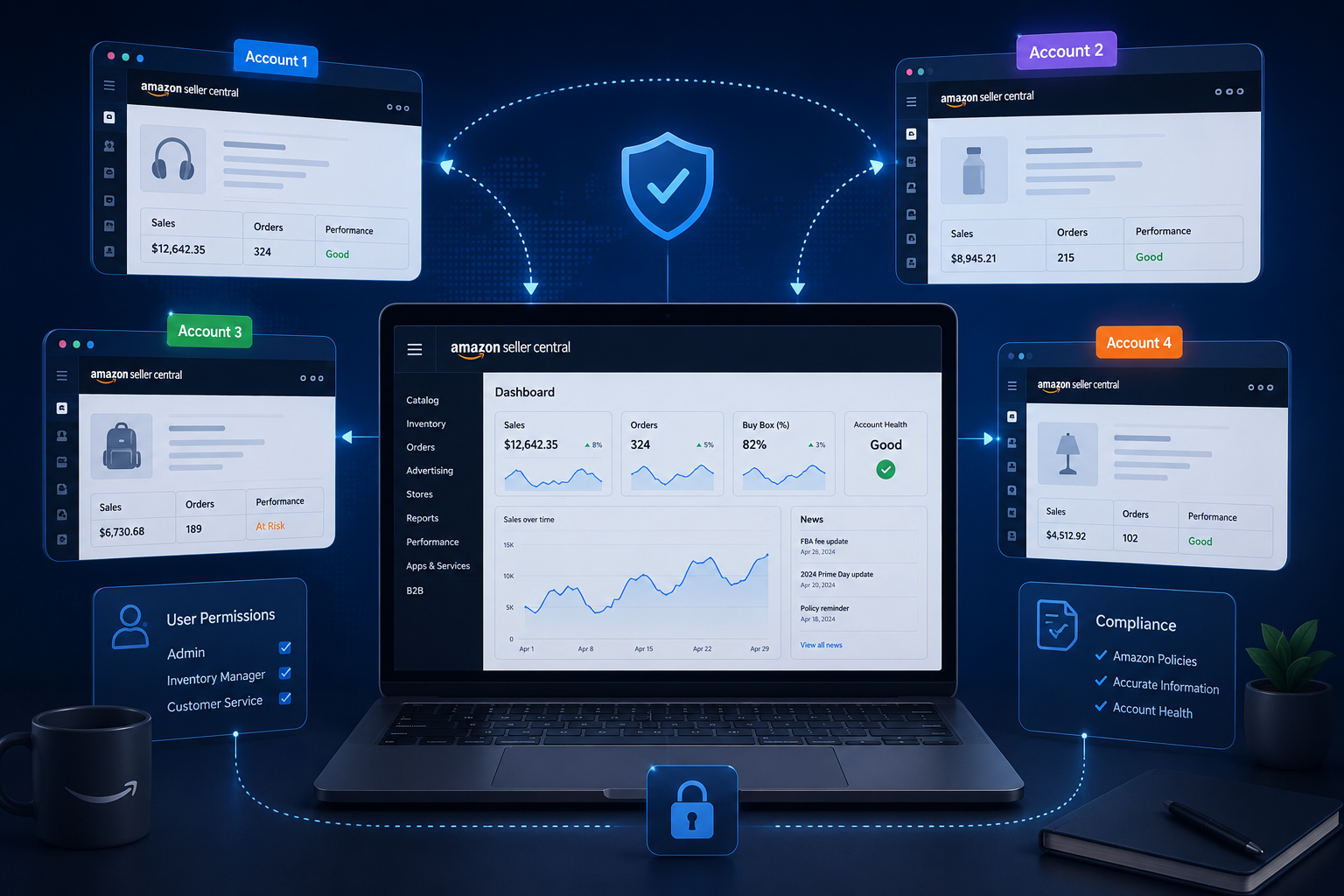
Amazon’s seller policy does not provide unrestricted permission to open as many accounts as a company wants.
The standard position is that a seller may maintain one Seller Central account per region. An additional account may be allowed when there is a legitimate business need, provided the seller’s accounts remain in good standing.
A legitimate need may involve genuinely separate business operations, but the existence of two brands or two product categories does not automatically guarantee that a second account is appropriate. Sellers should evaluate their situation against the current Seller Central policy and contact Seller Support when the answer is unclear.
Do not assume that using different:
- Email addresses.
- Legal representatives.
- Computers.
- Browsers.
- Bank accounts.
- Warehouses.
- IP addresses.
automatically makes a second account acceptable.
The underlying business purpose and the accuracy of the information provided to Amazon matter more than superficial technical separation.
Multiple Accounts, Marketplaces, and Users Are Different
Before creating an additional account, distinguish between three different requirements.
Multiple regional marketplaces
A seller may use Amazon’s international selling tools to access marketplaces in different countries. Selling in several marketplaces does not always mean the business needs independently created Seller Central accounts for each operation.
Seller Central includes tools and workspaces for managing products, orders, finances, inventory, promotions, and international selling activities.
Multiple users
A business with ten employees does not need ten seller accounts.
The primary user can invite secondary users through User Permissions and assign access according to their responsibilities. Amazon’s guidance recommends granting the minimum permissions required, reviewing permissions regularly, and avoiding unnecessary administrative access.
Multiple seller businesses
This is the situation in which a company or owner believes another full Seller Central account is required.
It carries greater policy implications than adding an employee or expanding into another marketplace. The business should document why existing account structures, marketplace tools, or user permissions are insufficient before proceeding.
When Might a Separate Seller Account Be Appropriate?
A second account may be considered when the operations are genuinely distinct and there is a documented business reason for separation.
Possible situations to evaluate include:
- Independent legal businesses with different operating structures.
- Distinct brands that require separate financial and operational control.
- A manufacturer managing separate companies.
- An Amazon program that requires a separate selling account.
- Businesses acquired through a merger or acquisition.
- Agency relationships in which clients retain their own Seller Central accounts.
These examples should not be treated as automatic approval. The seller remains responsible for checking the current policy and ensuring that the account structure accurately reflects the real businesses involved.
For agencies, the safer model is usually for every client to retain ownership of its Seller Central account. Agency employees should receive appropriate user or partner access instead of creating client stores under the agency’s own identity.
Why Multiple Amazon Seller Accounts Get Restricted
Having more than one account is not the only issue. Restrictions often result from how the accounts are created, accessed, documented, and operated.
No clear business justification
Opening another account simply to test products, obtain another chance at the Buy Box, separate poor performance, or replace a restricted store is not a sustainable structure.
An additional account should solve a real business requirement rather than act as a backup for policy problems.
One account is not in good standing
Amazon’s policy connects the acceptability of multiple accounts with their standing. A compliance issue in one operation can therefore create wider business risk when the same seller operates other accounts.
Every store needs its own process for:
- Policy notifications.
- Product authenticity documentation.
- Customer complaints.
- Shipping performance.
- Returns.
- Intellectual-property claims.
- Restricted-product reviews.
- Account Health monitoring.
Inaccurate or inconsistent business information
Business names, addresses, tax details, bank information, beneficial ownership, and contact details should accurately represent the relevant business.
Businesses should not alter these details merely to make related accounts appear unconnected. Incorrect documentation can complicate verification and make appeals more difficult.
Shared passwords
Several employees using the primary owner’s login weakens security and accountability.
The company may be unable to identify who edited a listing, changed a deposit method, responded to a policy warning, or added another user. Former employees may also retain access long after they leave.
Amazon provides User Permissions so primary users can invite secondary users and control what they can do. (Amazon Seller Central)
Weak login security
Seller Central requires Two-Step Verification for access. It adds an extra security layer when a user signs in with an email address and password.
A legitimate seller operation can still be disrupted by phishing, malware, reused passwords, lost authentication devices, or recovery information controlled by a former employee.
Attempts to bypass enforcement
Creating another seller account after a suspension does not resolve the original policy issue.
Amazon’s Business Solutions Agreement allows Amazon to act when accounts have been used for deceptive, fraudulent, or illegal conduct.
The appropriate response is to identify the cause, collect accurate supporting information, correct the business process, and follow the official appeal procedure.
How to Manage Multiple Amazon Seller Accounts
Step 1: Verify the Need for Each Account
Create a written explanation for every seller account in the organization.
Record:
- Legal business owner.
- Brand or company represented.
- Selling region.
- Business purpose.
- Registration date.
- Primary administrator.
- Recovery email and phone.
- Bank and tax-account owner.
- Current Account Health status.
- Reason the operation cannot use an existing account.
This document should be understandable to someone outside the daily operations team.
If the only reason is “we want another account in case the first one is suspended,” the business should not proceed.
Step 2: Confirm Ownership and Documentation
Each account should use accurate documentation connected to the relevant business.
Depending on the marketplace and verification request, records may include:
- Business registration documents.
- Tax information.
- Bank statements.
- Identity documents.
- Utility bills or address evidence.
- Supplier invoices.
- Brand authorization.
- Inventory and fulfillment records.
Amazon may request invoices when reviewing sourcing or product-policy concerns, making accurate supplier documentation especially important.
Do not fabricate documents or modify legitimate records to create artificial differences between businesses.
Step 3: Create an Account Ownership Matrix
An ownership matrix helps prevent uncertainty during employee turnover, security incidents, and policy appeals.
| Record | Information to document |
|---|---|
| Seller account | Store name and merchant identifier |
| Business owner | Legal entity and responsible director |
| Primary user | Person controlling the main login |
| Secondary users | Role and permission level |
| Recovery methods | Company-controlled email and phone |
| Banking | Account owner and approved finance contact |
| Tax records | Responsible legal or accounting team |
| Account Health | Employee responsible for monitoring |
| Workspace | Approved device or browser environment |
| Review date | Next scheduled access audit |
Update the matrix whenever a team member, bank account, legal entity, device, or service provider changes.
Step 4: Use Individual User Permissions
Do not give employees the primary account password.
The primary user can invite secondary users from Seller Central and grant access to tasks such as inventory management or shipping confirmation. Amazon recommends minimum necessary permissions and warns that permission-management access effectively creates another administrator.
A practical permission structure might look like this:
| Team member | Typical access |
|---|---|
| Listing specialist | Catalog and inventory functions |
| Customer-support agent | Orders, returns, and buyer communication |
| Warehouse employee | Shipping and fulfillment tasks |
| Advertising manager | Advertising-related assets |
| Finance employee | Payments and financial reports |
| Compliance manager | Account Health and policy cases |
| Agency or developer | Authorized partner access where supported |
| Business owner | Primary ownership and recovery control |
Permissions should be reviewed quarterly and immediately after staffing changes.
Step 5: Secure Every User Login
Every Seller Central user should have:
- A unique login.
- A strong, unique password.
- Two-Step Verification.
- Company-controlled recovery information.
- A documented backup method.
- A protected work device.
- No unnecessary browser extensions.
Amazon supports authenticator applications as a Two-Step Verification method, which can generate codes without relying on mobile service.
Recovery codes and passwords should not be stored together in an open spreadsheet or team chat.
Step 6: Assign a Stable Operating Workspace
When one computer is used for several authorized stores, poor session management can lead to operational mistakes.
An employee may:
- Upload inventory to the wrong store.
- Answer a customer from the wrong account.
- Change prices in an unrelated marketplace.
- Open a policy notification for the wrong business.
- Mix locally stored documents and cookies.
- Save one client’s credentials in another client’s browser.
A dedicated browser workspace can help separate cookies, cached data, bookmarks, extensions, and local sessions. The goal should be accuracy and access control—not hiding the relationship between accounts.
According to its product page, Hidemium’s e-commerce solution offers browser-profile organization, bulk account actions, automation templates, and team collaboration controls. These are vendor-described features and should be tested against the company’s compliance, security, and data-protection requirements.
Step 7: Keep Operations Separate Where the Businesses Are Separate
When seller accounts represent genuinely independent companies, their operational records should reflect those real distinctions.
Maintain clear records for:
- Inventory ownership.
- Supplier relationships.
- Invoices.
- Customer service.
- Returns.
- Banking.
- Tax reporting.
- Brand authorization.
- Fulfillment processes.
- Employee responsibilities.
Separation should arise from the genuine company structure, not from an effort to disguise common control.
If two accounts share employees, warehouses, suppliers, or service providers, document those relationships accurately rather than pretending they do not exist.
Step 8: Monitor Account Health
Seller Central’s Account Health page shows alerts, policy notifications, and metrics related to customer service, shipping performance, and policy compliance.
Assign a responsible employee to review it regularly.
A basic review process should include:
- Check every account on a scheduled basis.
- Record new warnings and deadlines.
- Assign an owner to each case.
- Preserve relevant invoices and correspondence.
- Stop affected listings or activities when necessary.
- Correct the underlying operational problem.
- Submit accurate information through the official process.
- Track whether the same problem appears in another store.
Do not wait for a full account deactivation before responding.
Step 9: Build a Store-Specific SOP
Each seller account should have a standard operating procedure covering:
- Product-listing approval.
- Pricing changes.
- Inventory reconciliation.
- Order processing.
- Buyer communication.
- Returns and refunds.
- Restricted-product checks.
- Intellectual-property complaints.
- Invoice storage.
- Account Health review.
- User access.
- Incident response.
Even when several stores share the same central team, every account should have a named owner and escalation path.
Where Hidemium Fits Into the Workflow
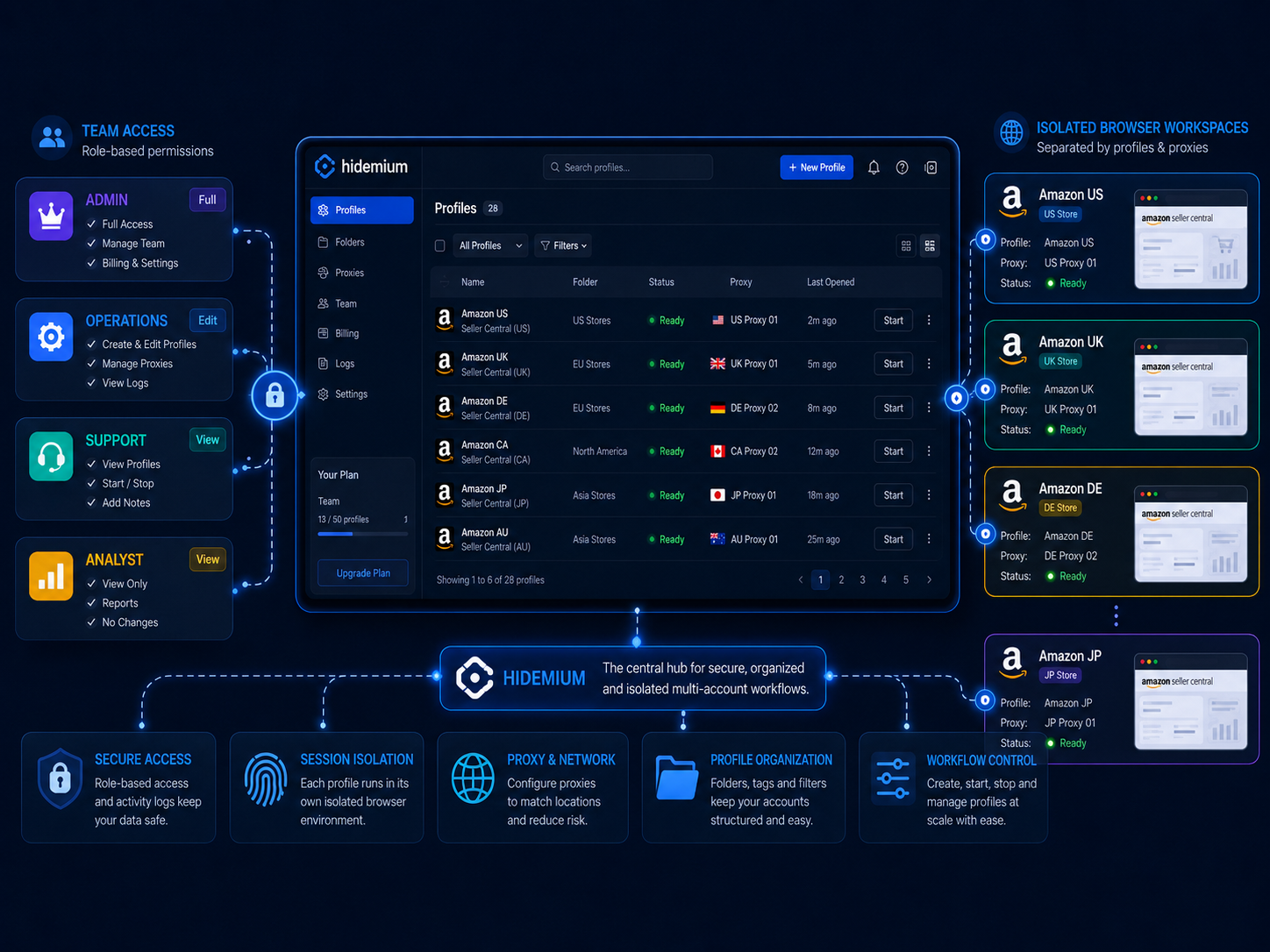
Hidemium can be considered when a legitimate multi-store operation needs stronger browser-session organization than ordinary tabs or standard browser profiles provide.
The vendor describes features including isolated profiles, profile folders, cloud synchronization, team access, proxy configuration, and separate browser data.
In an authorized workflow, these features may help teams:
- Assign one workspace to each seller account.
- Reduce accidental cookie or session overlap.
- Organize stores by company, client, or region.
- Limit which employees can open specific profiles.
- Keep bookmarks and local files associated with the correct store.
- Transfer daily operational responsibility more consistently.
- Maintain clearer workspace records across remote teams.
However, Amazon User Permissions and Hidemium workspace permissions are not the same.
Amazon controls official authority inside Seller Central. Hidemium controls access to a browser environment. A person should receive both forms of access only when their role requires them.
What Hidemium Cannot Do
A neutral evaluation should acknowledge the limitations of any browser-profile platform.
Hidemium cannot:
- Approve an additional Amazon seller account.
- Create a legitimate business need.
- Provide legal ownership of a store.
- Correct inaccurate registration information.
- Restore an account automatically.
- Resolve product-authenticity complaints.
- Make restricted products acceptable.
- Replace supplier invoices.
- Override Amazon’s policies.
- Guarantee that accounts will not be linked or suspended.
- Make enforcement evasion compliant.
The product should therefore be assessed for organization, security, team access, and workflow efficiency—not as a guarantee against Amazon enforcement.
Multiple Amazon Seller Accounts Checklist
Before creating or operating another Seller Central account, confirm that:
- Every account has a documented business purpose.
- The structure complies with Amazon’s current policy.
- All existing accounts are in good standing.
- Business and beneficial-ownership information is accurate.
- Banking and tax records belong to the correct business.
- Supplier invoices are stored securely.
- Each employee uses an individual login.
- Permissions follow the least-privilege principle.
- Two-Step Verification is enabled.
- Recovery methods are controlled by the company.
- Former employees have been removed.
- Each store has an assigned operational owner.
- Account Health is monitored regularly.
- Browser workspaces are used for organization, not evasion.
- The business has an incident-response and appeal process.
Conclusion
Managing multiple Amazon seller accounts is primarily a policy, ownership, security, and operational-control challenge.
Begin by confirming that each account has a legitimate business purpose. Keep every account in good standing, use accurate business records, protect logins with Two-Step Verification, and assign employees through User Permissions rather than sharing passwords.
For larger teams, separate browser workspaces may reduce session confusion and make client or store environments easier to organize. However, browser isolation should support an authorized business structure—it should never be used to conceal ownership or continue activity after Amazon has imposed a restriction.
The most sustainable setup combines Amazon’s official access controls, accurate documentation, disciplined Account Health monitoring, secure devices, and clearly assigned responsibilities.
Before moving important stores into a new browser-management system, review the Hidemium documentation and test its profile, folder, synchronization, and team-access functions with non-critical authorized workflows.
Compare the platform with your current Seller Central permissions, internal security standards, staffing model, and compliance process before adopting it across multiple businesses.
Frequently Asked Questions
Can I have multiple Amazon seller accounts?
Amazon generally allows one Seller Central account per region unless there is a legitimate business need for an additional account. Sellers should review the current policy and ensure all accounts remain in good standing.
Do I need Amazon’s permission for a second seller account?
The appropriate process depends on the current policy and your specific business situation. Do not assume a separate email, company, or device automatically makes another account acceptable. Contact Seller Support when the policy does not clearly cover your case.
Can my employees share one Seller Central login?
They should not share the primary login. Invite them as secondary users and assign the minimum permissions needed for their work.
Can an agency manage several Amazon seller accounts?
Yes, when every client owns and authorizes access to its account. Agencies should use appropriate user or partner permissions instead of taking ownership of client stores or sharing primary passwords.
Does every seller account need a separate computer?
Not necessarily. The more important requirements are authorized access, accurate ownership, secure user permissions, and a controlled workflow. Separate browser workspaces may help reduce operational mistakes on shared computers.
Does Hidemium prevent Amazon account suspension?
No. Hidemium cannot guarantee that an account will remain active. Amazon may restrict accounts because of policy violations, documentation problems, customer-service performance, product authenticity, security incidents, or other factors.
Can Hidemium replace Seller Central User Permissions?
No. Seller Central permissions provide official access to Amazon assets. Hidemium manages browser profiles and local sessions. They serve different purposes.
Should every Amazon account use a different proxy?
Not automatically. A proxy should serve a legitimate network, security, or regional operating requirement. It does not create permission for another seller account or resolve policy violations.
What should I do when one account is suspended?
Review the notification and Account Health information, investigate the underlying problem, collect accurate documents, correct the process, and use Amazon’s official appeal route. Do not create a replacement account to continue the restricted operation.
What is the safest structure for multiple seller accounts?
Use only accounts supported by a legitimate business need, maintain accurate ownership records, keep every store in good standing, assign individual user permissions, require Two-Step Verification, and use separate workspaces only where they improve authorized operational control.
Related Blogs

Accessing blocked websites in Vietnam is no longer too difficult if you know how to use it. Proxy through firewall properly. This is an ideal solution, which helps free internet access, just to make sure safety and security of personal information. Together Hidemium Antidetect Browser Discover the 3 most effective methods of using Proxy to bypass firewalls today.1. Use free Proxy websites to[…]

Have you ever wondered why the SEO rankings you see are completely different from those of your customers or competitors? This is a common problem that causes many businesses to lose millions of dollars in profits every year.The bottom line is this: over 79% of SEO professionals admit that the search results they see don't match the actual results users get. This is because of personalized[…]
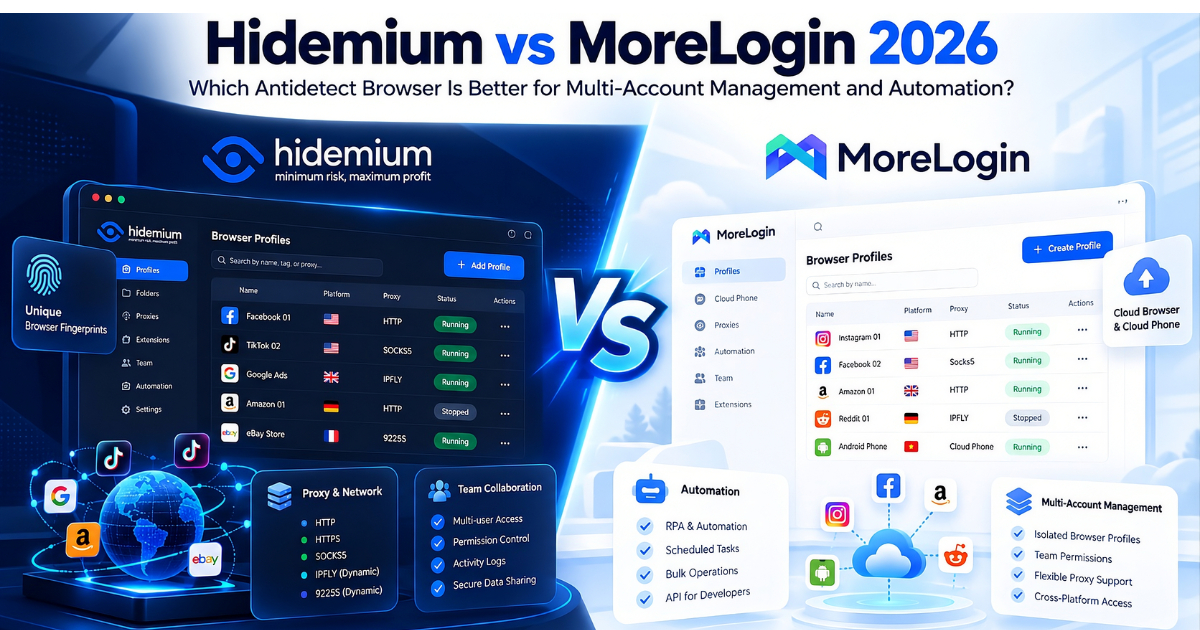
If you are comparing Hidemium vs MoreLogin, the biggest difference is not simply their ability to create browser profiles, but how each platform supports your workflow as your operation grows.Both Hidemium and MoreLogin are antidetect browsers designed for users who need to manage multiple browser profiles, proxies, sessions, and separate browser fingerprints. However, MoreLogin is better suited[…]

Discord today is not only for gamers but has become an essential communication tool for studying and working. However, being blocked from Discord at school, company or some limited networks make many people upset and ask questions: “How to unblock Discord everywhere?”This article will help you answer. First, we will learn about the concept “Discord Unblocked” and common reasons why this platform[…]

Digital marketing today runs on speed and volume. Brands are expected to push out fresh creatives constantly, and traditional video production simply can’t keep up. That’s where an AI Facebook ad generator comes in. These tools take product links, scripts, or raw assets and turn them into ready-to-use Facebook video ads with minimal manual editing. 1. Pollo AI Pollo AI works as a practical AI […]
.png)
Why Your Online Activity is Constantly TrackedEvery time you click, scroll, search, or make an online purchase, a vast network of invisible trackers is quietly watching. In today’s hyper-connected digital landscape, your personal data is a highly valuable currency. Tech giants, advertising agencies, and cybercriminals are all vying for a piece of your digital footprint. This is precisely why[…]
