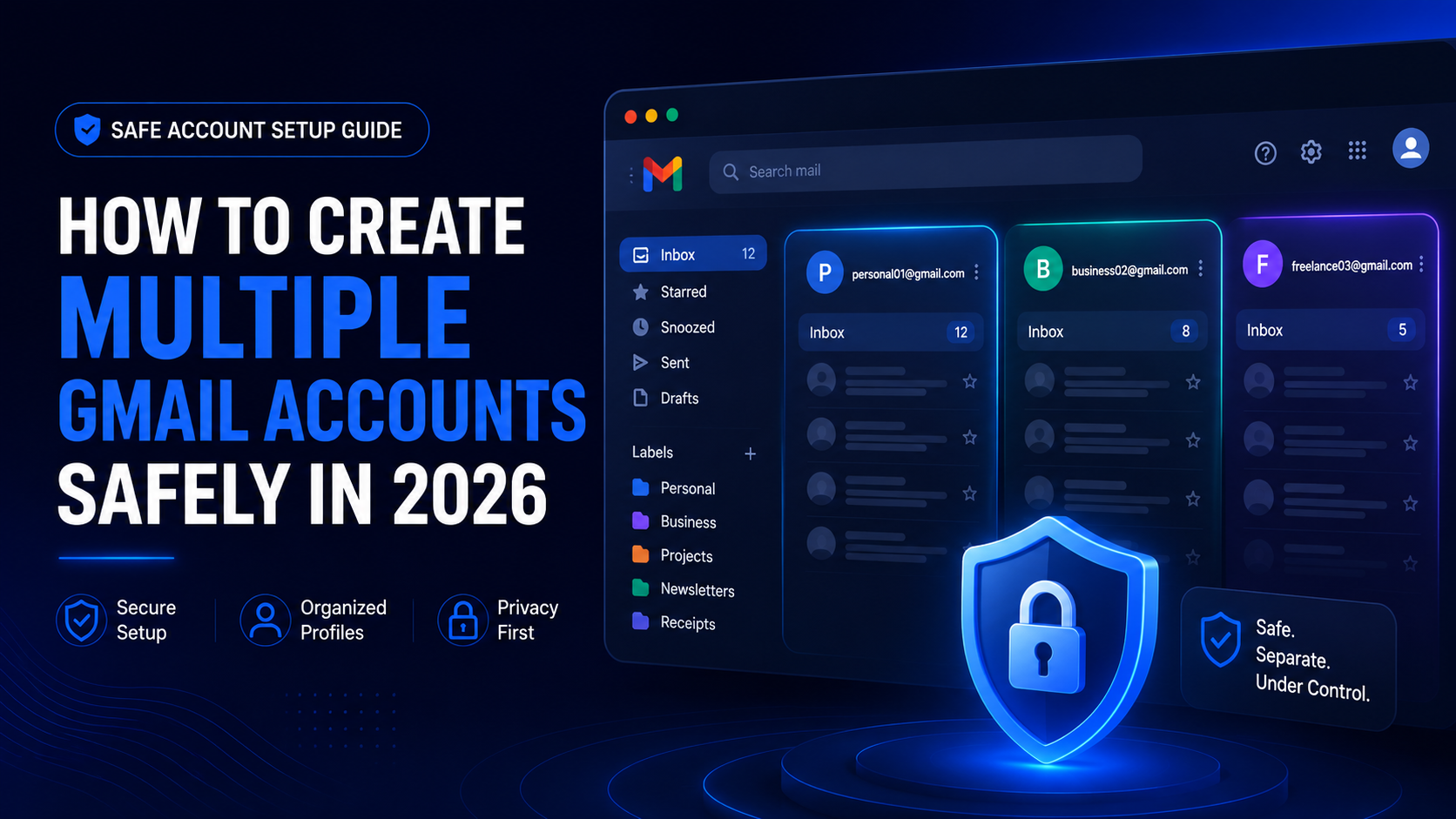

How to Create Multiple Gmail Accounts Safely in 2026
Multiple Gmail accounts: Quick answer
You can create and manage multiple Gmail accounts safely in 2026 if each account has a legitimate purpose, accurate recovery information, strong security settings, and a clear separation of use. The safest approach is to avoid bulk account creation, follow Google’s policies, use separate browser profiles for different workflows, and keep personal, business, client, testing, and team accounts organized.
Multiple Gmail accounts can be useful.
But they can also become risky if they are created too quickly, shared carelessly, used for spam, or mixed across unrelated workflows.
This guide explains how to create multiple Gmail accounts safely, when you should avoid creating new accounts, how to secure them, and how tools like Hidemium can help teams manage browser profiles for legitimate account separation.
What does “multiple Gmail accounts” mean?
Multiple Gmail accounts means one person, team, or business uses more than one Gmail account for different purposes.
For example:
- One Gmail account for personal email
- One Gmail account for work
- One Gmail account for client communication
- One Gmail account for testing
- One Gmail account for a YouTube channel
- One Gmail account for a support inbox
- One Gmail account for a specific project
- One Gmail account for a team workflow
The important part is purpose.
A second Gmail account can be useful if it helps you separate work, privacy, testing, or team operations.
But creating many accounts without a clear reason can create security, compliance, and account recovery problems.
Is it allowed to have multiple Gmail accounts?
Google generally allows users to create and use more than one Google account. Many people use separate accounts for personal, work, business, testing, or project-based needs.
However, users should always follow Google’s current Terms of Service and account policies.
You should not create Gmail accounts for:
- Spam
- Phishing
- Fake engagement
- Fraud
- Platform abuse
- Impersonation
- Bypassing restrictions
- Evading enforcement systems
- Mass account creation without a legitimate purpose
This article is about safe, legitimate, and organized account management.
If your use case involves a business, agency, school, or team, Google Workspace may be a better option than creating many separate personal Gmail accounts.
When should you create multiple Gmail accounts?

Creating multiple Gmail accounts can make sense when separation improves security, organization, or workflow clarity.
Good reasons include:
- Separating personal and business email
- Managing different brands or projects
- Testing apps, websites, or signup flows
- Running client-specific communication
- Separating e-commerce store workflows
- Managing YouTube, Google Ads, or Google Business assets
- Creating support or operations inboxes
- Keeping sensitive workflows away from personal accounts
- Giving different team members controlled access to different environments
A good rule:
Create a new Gmail account only when it solves a clear organization, privacy, testing, or workflow problem.
Do not create extra accounts just because it seems easier in the short term.
When should you not create another Gmail account?
Sometimes, creating another Gmail account is the wrong solution.
You may not need a new account if:
- You only need a different email address for the same inbox
- You can use Gmail aliases
- You can use labels and filters
- You can use Google Workspace user accounts
- You can use email delegation
- You can use shared inbox software
- You only want to hide messy inbox organization
- You cannot maintain recovery and security for another account
Too many Gmail accounts can become hard to manage.
You may forget passwords, lose recovery access, mix sessions, miss important emails, or create security gaps.
Before creating another Gmail account, ask:
Do I need a new identity, or do I only need better organization?
Best ways to use multiple Gmail accounts
There are several safe ways to manage multiple Gmail accounts depending on your goal.
| Goal | Best option |
|---|---|
| Separate personal and work email | Create separate Gmail accounts |
| Manage a team or company | Use Google Workspace |
| Separate inbox topics | Use Gmail labels and filters |
| Use different email variations | Use Gmail aliases when appropriate |
| Give another person access | Use delegation or Workspace controls |
| Test apps or workflows | Use dedicated testing accounts |
| Manage client workflows | Use separate accounts and browser profiles |
| Manage many accounts as a team | Use structured browser profiles and access rules |
The safest setup is the one that matches the real workflow.
How to create multiple Gmail accounts safely
Here is a safe, practical process for creating multiple Gmail accounts.
1. Define the purpose first
Before creating a new Gmail account, write down why it exists.
Examples:
- Personal email
- Client A communication
- Store support inbox
- App testing account
- YouTube project account
- Internal operations account
- Web3 project email
- Marketplace support account
This helps avoid messy account sprawl.
Every account should have a clear role.
2. Use accurate account information
Use information that you can verify and recover later.
Do not create accounts with random details that you cannot remember or prove.
A Gmail account is only useful if you can recover it when something goes wrong.
Keep track of:
- Account purpose
- Recovery email
- Recovery phone if used
- Owner or responsible person
- Creation date
- Connected services
- Security settings
- Access rules
For teams, this should be stored securely in an approved password manager or internal system.
3. Follow normal signup behavior
Create accounts only when you need them.
Avoid creating many accounts in a short period without a real use case.
Do not use automation, fake information, or methods designed to bypass Google’s verification systems.
If Google asks for verification, follow the official verification process.
Trying to bypass verification can create account risk and may violate platform rules.
4. Set a strong password
Each Gmail account should have a unique, strong password.
Do not reuse the same password across multiple Gmail accounts.
A safe password should be:
- Unique
- Long
- Hard to guess
- Stored securely
- Not reused on other websites
A password manager is usually better than trying to remember every password manually.
5. Add recovery options
Recovery options are important for multiple Gmail accounts.
Add a recovery email and recovery phone when appropriate.
This helps you regain access if:
- You forget the password
- Google detects unusual activity
- A device is lost
- A login attempt is blocked
- A team member leaves
- You need to prove ownership
Do not skip recovery settings.
Many account loss problems happen because recovery information was never set up properly.
6. Enable two-step verification
Two-step verification adds another layer of security.
For important Gmail accounts, enable 2FA using one of Google’s supported methods.
This is especially important for:
- Business accounts
- Client accounts
- Accounts connected to ads
- Accounts connected to payments
- YouTube channels
- Google Workspace accounts
- Support inboxes
- Admin accounts
Avoid relying only on passwords.
Passwords can leak. 2FA reduces the damage.
7. Separate accounts by browser profile
Using several Gmail accounts inside one browser profile can cause confusion.
You may accidentally send emails from the wrong account, mix cookies, confuse login sessions, or connect unrelated workflows.
A cleaner setup is to separate accounts by browser profile.
For example:
| Gmail account type | Recommended profile setup |
|---|---|
| Personal Gmail | Personal browser profile |
| Work Gmail | Work browser profile |
| Client Gmail | Separate profile per client |
| Testing Gmail | Testing profile |
| Store Gmail | Store-specific profile |
| Team Gmail | Shared workflow profile with access rules |
This keeps sessions, cookies, storage, and login context cleaner.
For teams, a browser profile platform like Hidemium can help manage this structure more clearly.
8. Keep account ownership clear
Every Gmail account should have a responsible owner.
For personal use, that may be you.
For teams, ownership must be clear.
Track:
- Who owns the account?
- Who can access it?
- Which project does it support?
- Which browser profile contains it?
- Which recovery email is connected?
- Which services are linked?
- What happens if someone leaves the team?
Unclear ownership creates security and operational risk.
9. Review account access regularly
Multiple Gmail accounts should not be “set and forget.”
Review them regularly.
Check:
- Recovery settings
- 2FA status
- Logged-in devices
- Connected apps
- Forwarding rules
- Delegated access
- Suspicious login alerts
- Unused accounts
- Team member access
If an account is no longer needed, secure it, archive important data, or close it according to your workflow.
How to manage multiple Gmail accounts without getting confused
The biggest problem with multiple Gmail accounts is not account creation.
It is account management.
Use a simple system.
Create a naming rule
Use a consistent naming pattern.
For example:
- brand.support@gmail.com
- project.testing@gmail.com
- clientname.ops@gmail.com
- store.region@gmail.com
Avoid random names that become hard to understand later.
Use a secure account inventory
Keep a secure list of all accounts.
Include:
- Gmail address
- Purpose
- Owner
- Recovery email
- Connected services
- Browser profile
- Workspace
- Notes
- Status
Do not store passwords in a normal spreadsheet.
Use a password manager or secure internal system.
Group accounts by workflow
Group Gmail accounts by purpose.
Examples:
- Personal
- Business
- Clients
- Testing
- Stores
- Ads
- Support
- YouTube
- Web3
- Internal operations
This makes account management easier as the number grows.
Avoid sharing passwords directly
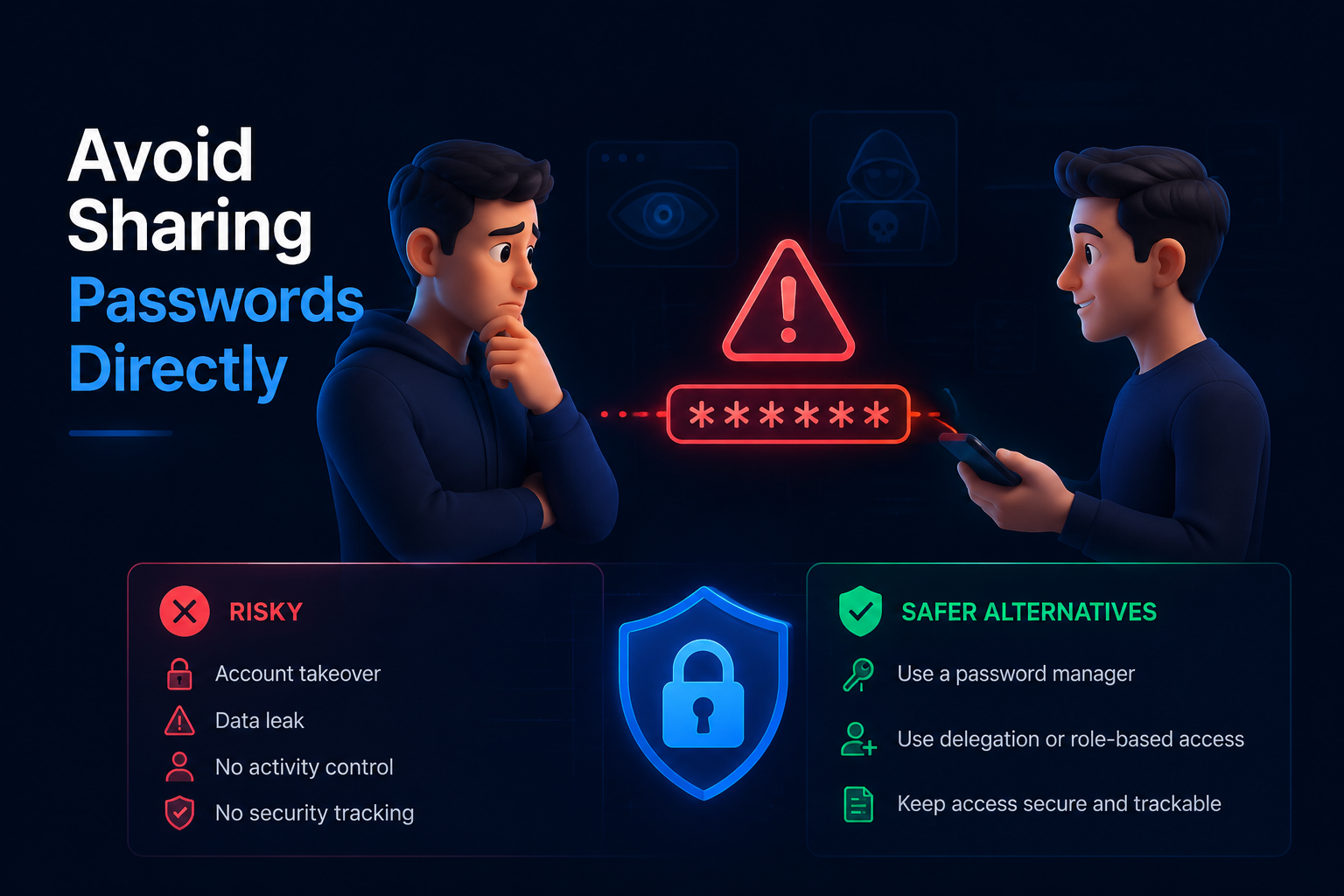
If a team member needs access, use safer methods where possible.
Depending on the use case, consider:
- Google Workspace user accounts
- Delegated access
- Shared inbox tools
- Role-based access
- Password managers with access control
- Separate browser profiles with permission rules
Directly sharing passwords is risky and hard to audit.
Multiple Gmail accounts for business
For businesses, creating many personal Gmail accounts is usually not the best long-term solution.
Google Workspace may be better because it gives the business more control.
Google Workspace can help with:
- Custom domain email
- User management
- Admin controls
- Account recovery
- Security policies
- Team access
- Device management
- Shared drives
- Role-based permissions
If your team is growing, Google Workspace is often safer than unmanaged personal Gmail accounts.
However, browser profiles can still help separate work environments, especially when different accounts, clients, stores, or projects require separate sessions.
Multiple Gmail accounts for agencies
Agencies often need multiple Gmail accounts for client workflows, testing, communication, and platform access.
The main challenge is separation.
An agency may manage:
- Client inboxes
- Google Ads accounts
- YouTube channels
- Google Business Profiles
- Reporting dashboards
- Testing accounts
- Support accounts
- Marketplace accounts
A safe agency setup should answer:
- Which Gmail belongs to which client?
- Who can access it?
- Which browser profile contains it?
- Which recovery email is used?
- Which services are connected?
- What happens when a project ends?
Hidemium can help agencies separate browser profiles by client, operator, project, or workflow.
This reduces session mixing and helps operators avoid logging into the wrong account.
Multiple Gmail accounts for testing
Developers, QA testers, and product teams may need multiple Gmail accounts to test signup flows, onboarding, email notifications, permissions, user roles, and recovery journeys.
For testing, safety means keeping test accounts separate from real user accounts.
Best practices:
- Use dedicated test accounts
- Label them clearly
- Do not use real customer data
- Keep test profiles separate
- Document what each account is for
- Remove test accounts when no longer needed
- Avoid mass creation without a valid testing need
If possible, use official testing tools, sandbox environments, or Google Workspace accounts for structured testing.
Multiple Gmail accounts for e-commerce
E-commerce teams may use different Gmail accounts for different stores, marketplaces, support inboxes, ads, and supplier communication.
A clean setup may look like this:
| Workflow | Gmail account purpose |
|---|---|
| Store operations | Store admin email |
| Customer support | Support inbox |
| Marketplace access | Seller account email |
| Ads | Google Ads email |
| Suppliers | Supplier communication |
| Testing | Order and notification testing |
For e-commerce teams, organization is critical.
Each Gmail account may connect to a store, marketplace, payment tool, ad account, or support system.
Do not mix unrelated stores or workflows in one browser session.
Separate browser profiles can reduce confusion and improve account hygiene.
Multiple Gmail accounts for remote teams
Remote teams need extra clarity because operators are not sitting together.
When several people manage different Gmail accounts across locations, the team must know:
- Who owns each account?
- Who can access it?
- Which profile should be used?
- Which project does it support?
- Which recovery options are set?
- Is access still needed?
Without structure, remote teams can lose track quickly.
A good setup includes:
- A secure account inventory
- Clear ownership
- Browser profiles by workflow
- Access rules
- Regular audits
- Offboarding procedures
- Recovery planning
Hidemium is useful for remote teams because it helps organize browser profiles, workspaces, and access for different account workflows.
Why browser profiles help with multiple Gmail accounts
Browser profiles are useful because Gmail relies heavily on sessions, cookies, storage, and login context.
When accounts are mixed in one browser profile, mistakes become more likely.
You may:
- Send an email from the wrong account
- Mix personal and business sessions
- Trigger confusing login alerts
- Lose track of which account is active
- Connect unrelated workflows
- Make team access harder to manage
A separate browser profile gives each Gmail account or workflow a cleaner environment.
This is especially useful for:
- Agencies
- E-commerce teams
- Remote teams
- QA testers
- Web3 teams
- Social media teams
- Multi-client operations
A browser profile platform like Hidemium helps teams manage these profiles in a structured way.
How Hidemium helps manage multiple Gmail accounts
Hidemium helps teams organize browser profiles for legitimate multi-account workflows.
For multiple Gmail accounts, Hidemium can help with:
- Separate browser profiles
- Cookie and session isolation
- Workspace organization
- Team access control
- Profile ownership
- Proxy assignment when required for legitimate workflows
- Account workflow separation
- Repeatable profile setup
- Safer team collaboration
For example:
An agency can create one workspace for each client.
An e-commerce team can create one workspace for each store.
A QA team can create testing profiles for different user roles.
A remote team can assign profile access based on operator responsibility.
The goal is not to bypass Google rules.
The goal is to keep Gmail workflows organized, secure, and separated.
Common mistakes when creating multiple Gmail accounts
Mistake 1: Creating too many accounts too quickly
Do not create accounts without a real reason.
Bulk creation can create security and policy risks.
Mistake 2: Skipping recovery setup
If you do not add recovery information, you may lose access later.
Mistake 3: Reusing passwords
Password reuse is dangerous.
Each Gmail account needs a unique password.
Mistake 4: Mixing accounts in one browser session
This can lead to wrong-account actions, cookie confusion, and workflow mistakes.
Mistake 5: Sharing passwords casually
Direct password sharing creates security and audit problems.
Use safer access methods where possible.
Mistake 6: Forgetting old accounts
Unused accounts can become security risks.
Review and archive old accounts regularly.
Mistake 7: Using accounts for policy-violating activity
Multiple Gmail accounts should not be used for spam, abuse, fake engagement, fraud, or evasion.
Use accounts only for legitimate workflows.
Multiple Gmail accounts safety checklist
Use this checklist before and after creating Gmail accounts:
- Define the purpose of each account
- Use accurate recovery information
- Set a unique password
- Enable two-step verification
- Store credentials securely
- Separate accounts by browser profile
- Track account ownership
- Avoid direct password sharing
- Review account access regularly
- Remove access for former team members
- Check connected apps
- Keep recovery email updated
- Avoid mass account creation
- Follow Google policies
- Use Google Workspace when managing a real team
This checklist helps keep multiple Gmail accounts organized and safer over time.
Best setup by user type
| User type | Recommended setup |
|---|---|
| Individual user | Personal Gmail + separate work or project Gmail |
| Freelancer | Separate Gmail for clients, invoices, and testing |
| Agency | Google Workspace + client-based browser profiles |
| E-commerce team | Store-based Gmail accounts and separated profiles |
| QA team | Dedicated testing Gmail accounts |
| Remote team | Account inventory, profile ownership, and access rules |
| Business team | Google Workspace with admin controls |
| Web3 team | Separate accounts by wallet, project, and role |
The best setup is not the one with the most accounts.
It is the one with the clearest structure.
Summary: Multiple Gmail accounts
- Multiple Gmail accounts can be useful for personal, business, testing, client, e-commerce, and team workflows.
- Each Gmail account should have a clear purpose.
- Users should follow Google policies and avoid spam, abuse, or bulk account creation.
- Every account should have a strong password, recovery options, and two-step verification.
- Separate browser profiles help reduce session mixing and wrong-account mistakes.
- Google Workspace is often better for growing teams.
- Hidemium helps teams organize browser profiles, workspaces, access rules, and account workflows.
Conclusion: Create fewer accounts, manage them better
Creating multiple Gmail accounts safely is not about creating as many accounts as possible.
It is about creating the right accounts for the right reasons.
A safe Gmail setup has clear purpose, strong security, recovery options, separated sessions, and controlled access.
For individuals, this may mean a few well-managed Gmail accounts.
For teams, this may mean Google Workspace, account inventories, browser profiles, and access rules.
Hidemium can help teams manage multiple Gmail account workflows by separating browser profiles, organizing workspaces, and controlling team access.
If your team needs to manage Gmail accounts across clients, stores, testing environments, or remote operators, Hidemium is a practical platform to test.
Try Hidemium to organize browser profiles, sessions, workspaces, and team access for safer multiple Gmail account workflows.
FAQ: multiple Gmail accounts
Can I have multiple Gmail accounts?
Yes, many users have multiple Gmail accounts for personal, work, business, testing, or project-based use. Each account should have a legitimate purpose and follow Google’s policies.
How many Gmail accounts can I create?
Google may apply limits or verification requirements depending on account activity, signup behavior, device, region, and other risk signals. Always follow Google’s official rules and avoid bulk account creation.
Is it safe to create multiple Gmail accounts?
Yes, it can be safe if each account has a clear purpose, strong password, recovery options, two-step verification, and separated sessions. It becomes risky when accounts are unmanaged or used for spam or abuse.
Should I use Gmail or Google Workspace for multiple accounts?
Use Gmail for simple personal or project needs. Use Google Workspace if you manage a business, team, domain, employees, admin policies, or shared company workflows.
How do I manage multiple Gmail accounts without confusion?
Use clear naming, account inventory, password manager, recovery settings, browser profiles, labels, workspaces, and access rules. Avoid mixing unrelated Gmail accounts in one browser session.
Can Hidemium help manage multiple Gmail accounts?
Yes. Hidemium helps teams organize browser profiles, isolate sessions, manage workspaces, control access, and separate workflows for legitimate Gmail account management.
Should I use proxies to create Gmail accounts?
Do not use proxies to bypass Google verification, limits, or abuse detection. Proxies should only be used for legitimate network, testing, privacy, or operational needs while following Google’s policies.
Are multiple Gmail accounts allowed for business?
For business use, Google Workspace is usually the better option because it provides admin controls, domain email, user management, security policies, and recovery options.
Related Blogs
How humanizing AI content Brings Back the Personal Touch OnlineThe internet has changed the way we talk share and connect. Every post story, and caption reaches people around the world in seconds. But somewhere along the way, our online voices started to sound the same. Content feels fast but not always real. As AI tools become part of daily work, from writing captions to planning posts, many[…]

Changing a VPN is an important solution to help users stay anonymous, secure personal information, and access regionally blocked websites. Especially in the digital age, when privacy threats are increasing, using a VPN is a smart choice to protect your identity online. Together Antidetect Browser Hidemium Learn how to change VPN simply and effectively on both computers and laptops.1. Instructions[…]

In the process of doing business online, many sellers face the problem of accounts being repeatedly suspended even though their content does not violate any rules and their ads fully comply with platform policies. This leads to business disruptions, declining revenue, and major difficulties in scaling operations. The root cause lies in poor digital identity management.That is why more and more[…]
Multiple internet identities include anything from multiple accounts on a single website to different computers with a different connections. The reason why people need them is various.Within the context of our website and Hidemium, we view identity as a set of computer, browser, and connection parameters that the server can read off your client. Calling those parameters fingerprints. Here we[…]

When managing multiple accounts for MMO, eCommerce, or multi-platform marketing, IP address and geographic location are always among the top risk factors. If multiple accounts log in from the same IP or an incorrect location, platforms can easily detect account linkage, leading to suspensions or bans.This is also why using a proxy alone is no longer sufficiently safe. A more sustainable solution[…]

In today's internet environment, managing digital identity is becoming increasingly important. Every time you access a website, log into an account, or perform an online action, you leave behind certain identifying marks. The collection of this data forms a digital identity digital footprint, which many platforms use to identify and track users.One of the popular tools used to analyze this level[…]
