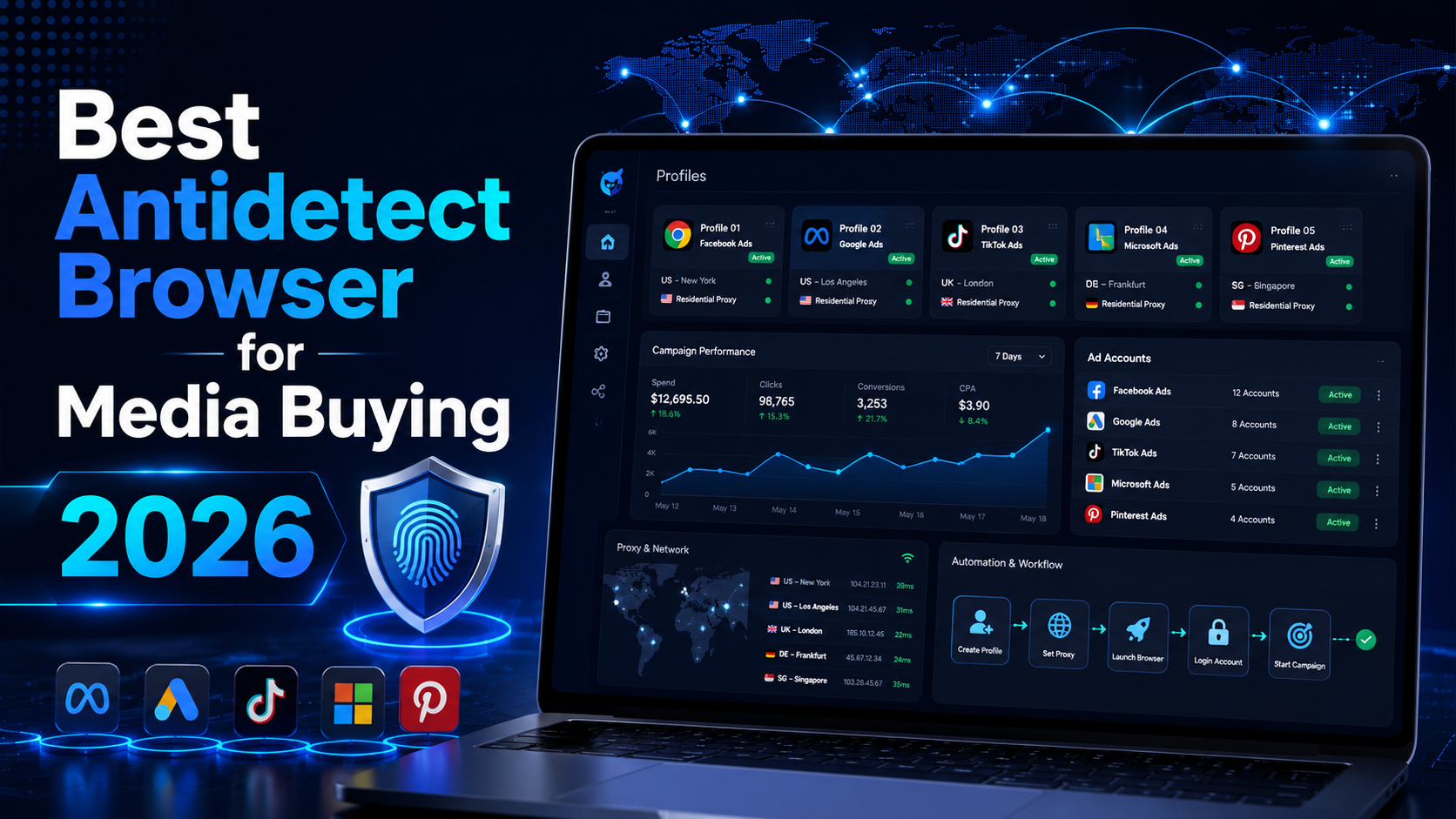

Best Antidetect Browser for Media Buying 2026
Modern media buying involves much more than launching ads and monitoring ROAS. An agency or performance marketing team may manage multiple clients, advertising accounts, Business Portfolios, landing pages, analytics tools, and regional markets at the same time.
As the number of digital assets grows, opening everything in a standard browser can lead to mixed cookies, lost login sessions, incorrect account actions, and insecure credential sharing. This is why many teams search for an antidetect browser for media buying as a way to organize their working environments.
An antidetect browser allows users to create independent browser profiles. Each profile can preserve its own cookies, login sessions, proxy, extensions, and browser configuration. For media buying teams, the practical value lies in separating workspaces, managing team permissions, and standardizing access to authorized accounts.
Quick assessment: Hidemium is a balanced option for media buying teams that need browser profiles, proxy management, collaboration, and automation in one system. Multilogin may suit agencies with mature technical processes, AdsPower is strong for bulk operations, Dolphin Anty is closely aligned with advertising workflows, and GoLogin is more accessible to individuals and small teams.
There is no single antidetect browser that is best for every organization. The right choice depends on team size, the number of legitimate profiles, automation requirements, security expectations, and the policies of each advertising platform.
What Is an Antidetect Browser for Media Buying?

An antidetect browser is software that allows users to create and manage multiple independent browser environments on one device or from a centralized dashboard.
Each browser profile can usually store its own:
- Cookies and local storage;
- Login sessions;
- Proxy and IP configuration;
- Time zone, language, and location settings;
- User agent and other fingerprint parameters;
- Browser extensions;
- Notes, tags, folders, and user permissions.
When a media buyer opens the profile assigned to Client A, they continue working within Client A’s saved environment. When they switch to Client B, the cookies and active sessions remain separate instead of being mixed inside the same browser profile.
This structure can be useful for agencies managing several clients, advertising teams operating multiple brands, or businesses testing campaigns across different regions.
However, an antidetect browser does not replace the official access-management tools provided by advertising platforms. Google recommends giving each team member individual access rather than sharing one set of login credentials. Agencies managing multiple Google Ads accounts can also use a Google Ads Manager Account.
Meta provides similar access controls through Business Portfolio, where users and partners can be assigned to specific assets such as ad accounts, Pages, pixels, and catalogs.
An antidetect browser should therefore be treated as an additional browser-organization layer. Account ownership and permissions should still be managed through the advertising platform itself.
Why Do Media Buyers Use Antidetect Browsers?
Separating Environments by Client or Campaign
A media buyer may work with Meta Ads, Google Ads, TikTok Ads, tracking tools, landing pages, and analytics platforms belonging to several clients in the same day.
When all of these accounts are opened in one browser profile, the risk of working in the wrong account increases. An incorrect budget change, tracking-pixel update, or campaign edit can immediately affect performance.
An antidetect browser allows teams to organize profiles using a structure such as:
Client – Platform – Market – Assigned Buyer
For example:
Brand A – Meta Ads – US – David
A clear naming system reduces confusion and makes account handovers easier.
Maintaining Stable Login Sessions
Logging in repeatedly from different devices, networks, locations, or browser environments may lead to additional verification requests.
A stable profile allows the media buyer to return to a familiar browser environment with its cookies and login session preserved.
The objective should not be to change as many fingerprint settings as possible. The environment should remain technically consistent across its proxy, time zone, browser language, operating system, and other settings.
Consistency is usually more useful than constant modification.
Supporting Collaboration Without Direct Password Sharing
Within an agency, the same project may involve a media buyer, team leader, analyst, and quality-control employee.
Some antidetect browsers allow administrators to share profiles, assign permissions, and revoke access when team responsibilities change. This can reduce the need to send passwords through messaging applications or spreadsheets.
Even when shared profiles are used, companies should prioritize official platform permissions. Each employee should receive an individual account and the minimum level of access required for their role.
Access lists should also be reviewed regularly, especially when employees leave a project or the organization.
Managing Proxies by Market
International media buying teams may need to review advertisements, landing pages, offers, or conversion experiences in different countries.
An antidetect browser can assign a specific proxy to each profile, test the connection, and preserve the network configuration associated with a particular market.
This can support legitimate tasks such as:
- Reviewing localized landing pages;
- Checking regional pricing;
- Testing redirects;
- Confirming language and currency settings;
- Evaluating the customer journey from a target market;
- Conducting campaign quality assurance.
A proxy does not make prohibited activity acceptable. Businesses should use reputable providers with clear sourcing and apply proxies only to authorized operations.
Supporting Automation
As the number of browser profiles grows, repetitive actions such as opening profiles, checking proxy connections, accessing dashboards, or preparing quality-assurance environments can take considerable time.
Modern antidetect browsers may provide different automation options, including no-code RPA tools and APIs compatible with frameworks such as Selenium, Puppeteer, or Playwright.
Automation should focus on repetitive, low-risk tasks that can be monitored and reviewed. Sensitive actions involving payments, major budget changes, account information, or large-scale messaging should remain subject to human approval.
How to Choose the Best Antidetect Browser for Media Buying
1. Browser Profile Isolation
Cookies, local storage, cache, and login sessions must remain separated between profiles. This is the foundation of the entire workflow.
A platform may provide many advanced features, but those features have limited value if profiles frequently lose sessions, mix data, or fail to synchronize correctly.
Profile stability should be tested under real working conditions rather than judged only from a feature list.
2. Fingerprint Consistency
A browser fingerprint should be internally reasonable, not merely different from other profiles.
For example, a profile using a US proxy should not automatically combine unrelated time zones, language settings, and geographic parameters without a valid operational reason.
Beginners should prioritize reliable default configurations. Manually changing every available parameter may create an inconsistent environment and increase management complexity.
3. Proxy Management
A suitable antidetect browser for media buying should support:
- Individual proxy assignment for each profile;
- IP and location checks before launch;
- Bulk proxy imports and edits;
- Common proxy protocols;
- Connection-status monitoring;
- Clear authentication settings.
It is important to evaluate the browser and proxy as separate components. Slow loading, disconnections, or failed sessions may come from the proxy rather than the browser profile.
Proxy quality, stability, sourcing, and geographic availability should be considered in the overall operating cost.
4. Team Permissions
Agencies should look for user roles, folders, profile-level permissions, activity logs, and the ability to revoke access.
A media buyer may need permission to open a profile and manage campaigns but may not need the ability to delete profiles or change their proxy settings. A team leader may need visibility across an entire client folder, while a contractor may require access to only one project.
Google and Meta already provide official permission levels for advertising accounts and assets. An antidetect browser should complement these controls rather than replace them.
5. Automation and API Support
A small team may only need manual profile management. A larger organization may require RPA, API access, or integration with internal systems.
Before selecting a platform, identify which tasks actually need automation. Common examples include:
- Opening profiles according to an internal workflow;
- Accessing campaign dashboards;
- Checking whether pages are available;
- Testing proxy connections;
- Preparing regional QA environments;
- Collecting approved internal data;
- Launching routine browser-based checks.
Avoid automating sensitive actions without validation procedures. Automation should reduce repetitive work without removing essential supervision.
6. Device Performance
Every active profile uses CPU and memory. If a media buyer regularly opens several browser environments at the same time, performance should be tested on the actual computers used by the team.
A visually polished platform may still be unsuitable if it consumes too many resources or slows down campaign optimization.
Teams should evaluate profile launch speed, memory usage, browser responsiveness, and performance during video calls or analytics work.
7. Total Operating Cost
Subscription price is only one part of the total cost.
Businesses should also consider:
- Number of browser profiles;
- Number of team seats;
- Proxy costs;
- Cloud synchronization;
- Automation features;
- Employee training;
- Management time;
- Technical support;
- Migration and setup work.
The cheapest platform may not have the lowest total cost if employees spend more time resolving errors or managing an inefficient interface.
Best Antidetect Browsers for Media Buying in 2026
1. Hidemium – A Balanced Option for Media Buying Teams
Hidemium provides browser profile management, proxy configuration, fingerprint controls, team collaboration, and automation capabilities.
The platform may suit agencies that manage several clients, media buyers working with profile folders, and teams that want to combine manual operations with automated processes.
Hidemium may be suitable for:
- Agencies managing multiple authorized client accounts;
- Performance marketing teams with several employees;
- Media buyers organizing accounts by client and market;
- Teams that need profile sharing and permission controls;
- Businesses planning to add automation gradually;
- Organizations that prefer profile and proxy management in one interface.
One of Hidemium’s strengths is its balanced approach. It does not focus only on fingerprint settings. Profile organization, proxy assignment, collaboration, and automation are also central parts of the workflow.
However, beginners may need time to understand proxy configuration, fingerprint consistency, and profile organization. The total cost may also increase as more profiles and team members are added.
Hidemium can be considered the best overall option in this comparison for teams seeking a balance of features. This does not mean it is automatically the best platform for every media buyer. A small operation managing only a few advertising accounts may not need the full system.
2. Multilogin – Suitable for Mature Agency Operations
Multilogin focuses on independent browser profiles, team workspaces, proxies, bulk actions, and API-based automation.
It may be appropriate for:
- Large agencies;
- Technical teams using APIs;
- Organizations with structured access policies;
- Companies with established internal processes;
- Teams requiring advanced workspace management.
Multilogin may appeal to businesses that already have technical staff and documented workflows.
Its primary disadvantages are potential complexity and cost. Smaller agencies may not use enough of its advanced functionality to justify the investment. Teams may also need internal training before implementing it at scale.
3. AdsPower – Strong for Bulk Operations
AdsPower provides browser profiles, team collaboration, activity logs, RPA features, local API access, and tools for synchronized or bulk actions.
It may be useful for:
- Teams managing many profiles;
- Agencies using RPA workflows;
- Operations with repetitive browser tasks;
- Businesses that need bulk profile or proxy management;
- Technical teams building internal integrations.
Its large feature set can support high-volume operations, but the interface may feel complicated to new users.
Automation should be tested carefully before being applied to a large number of profiles. One incorrectly configured process may affect multiple environments at the same time.
4. Dolphin Anty – Designed Around Advertising Workflows
Dolphin Anty is closely associated with advertising and affiliate marketing workflows. It supports browser profiles, team collaboration, proxy management, permissions, and automation through APIs or scripts.
It may be suitable for:
- Media buyers;
- Advertising agencies;
- Affiliate teams;
- Campaign managers;
- Users who prefer an advertising-oriented interface.
Its workflow may feel familiar to teams focused primarily on campaign operations. However, businesses should still evaluate security controls, profile handover, activity visibility, and internal permission management.
A platform designed around advertising does not remove the need for official access rights or platform compliance.
5. GoLogin – Accessible for Individuals and Small Teams
GoLogin provides browser profiles, proxy options, team sharing, API access, cloud-based profile launching, and support across several platforms.
It may be a practical choice for:
- Freelance media buyers;
- Virtual assistants;
- Small agencies;
- Individual campaign managers;
- Teams using an antidetect browser for the first time.
Its accessible interface may reduce the initial learning curve. However, larger teams should evaluate whether its permission management, synchronization, and administrative controls are sufficient for their workflow.
Quick Comparison
| Tool | Main Strength | Best Suited For | Ease of Use |
|---|---|---|---|
| Hidemium | Balanced profile, proxy, teamwork, and automation features | Growing agencies and media buying teams | Moderate |
| Multilogin | Mature workspaces, permissions, and API integrations | Large agencies and technical teams | Moderate to advanced |
| AdsPower | RPA, bulk actions, and high-volume profile management | Teams managing many profiles | Moderate |
| Dolphin Anty | Advertising-focused workflows and automation | Media buyers and affiliate teams | Easy to moderate |
| GoLogin | Accessible setup and multi-platform support | Freelancers and small teams | Easy |
This comparison is intended as a starting point. Features published by providers do not always reflect how a platform performs within a specific agency workflow.
Before making a long-term decision, test profile stability, proxy performance, hardware usage, team permissions, and employee adoption.
How to Implement an Antidetect Browser for Media Buying
Identify Authorized Assets
Create a list of clients, Business Portfolios, ad accounts, pages, pixels, catalogs, and other assets that the team is authorized to manage.
Document the account owner, responsible employee, permission level, and recovery process.
Only authorized assets should be added to the browser management system.
Standardize Profile Organization
Use one naming convention across the entire team:
Client – Platform – Country – Assigned Buyer
Create folders by client or project and use tags for statuses such as Active, Review, Paused, or Archived.
Consistent naming makes searching, reporting, and account handovers more efficient.
Assign Responsibility for Every Profile
Avoid allowing several people to open the same profile simultaneously. This can cause cookie conflicts, session problems, or difficulty identifying who made a change.
Each profile should have a primary owner or responsible employee. Teams should also define a formal handover process.
Prioritize Official Platform Access
Google Ads Manager Accounts allow agencies to access multiple client accounts through an official management structure. Meta Business Portfolio lets businesses assign users and partners to specific advertising assets.
These systems should remain the primary access layer. The antidetect browser should support workspace separation rather than replace official account permissions.
Enable Strong Account Security
Use two-factor authentication, company-managed email addresses, unique passwords, secure recovery methods, and the minimum necessary access level.
Regularly remove inactive users and review account activity for unusual changes.
Do not store sensitive recovery codes in profile notes that are visible to all team members.
Test Before Scaling
Begin with a small number of profiles and monitor:
- Login-session retention;
- Proxy failure rates;
- Profile launch time;
- CPU and memory usage;
- Team handovers;
- Permission management;
- Employee errors;
- Technical support quality.
Expand only after the workflow becomes stable.
Common Mistakes to Avoid
The first mistake is treating an antidetect browser as a guarantee against advertising account restrictions. No tool can guarantee account stability because platforms also evaluate access permissions, payment information, ad content, landing pages, business verification, and user behavior.
The second mistake is changing proxies or fingerprint settings too frequently. A stable and internally consistent environment is usually easier to manage than one that constantly changes.
The third mistake is automating the entire workflow immediately. Automation should begin with tasks that are low-risk, reversible, and easy to review.
Another common mistake is ignoring official platform permissions. A browser profile cannot replace Meta Business Portfolio, Google Ads Manager Account, or the access controls provided by other advertising platforms.
Is Hidemium Suitable for Media Buying?
Hidemium may be suitable when a team needs to manage multiple browser environments, assign individual proxies, share profiles, control user permissions, and automate repetitive browser tasks.
It may be worth considering for an expanding agency, a performance marketing department managing several brands, or an organization standardizing workflows for media buyers and virtual assistants.
The integration of profile management, proxies, team access, and automation can reduce the need to connect several separate tools.
On the other hand, a media buyer managing only a few accounts may be adequately served by official platform permissions, standard Chrome profiles, a password manager, and two-factor authentication.
The right platform is the one that solves an actual operational problem—not necessarily the product with the longest feature list.
Conclusion
The antidetect browser media buying market in 2026 offers options for different team sizes and operational requirements.
Hidemium provides a balanced combination of browser profiles, proxy management, collaboration, and automation. Multilogin may suit agencies with mature technical systems. AdsPower is strong for RPA and bulk operations. Dolphin Anty is closely aligned with advertising workflows, while GoLogin is accessible to beginners and small teams.
Regardless of the platform selected, media buyers should follow three principles:
- Manage only accounts and assets they are authorized to access;
- Use the official permission systems provided by advertising platforms;
- Maintain stable, secure, and consistent browser environments.
An antidetect browser should support organized media buying operations. It should not be treated as a method for bypassing advertising policies.
Start With a Small Workflow
Before deploying a solution across the entire agency, test Hidemium or another suitable platform with a limited number of profiles.
Evaluate login stability, proxy management, team permissions, device performance, and time savings across at least one campaign cycle. A controlled test will provide more useful information than a feature comparison alone.
Frequently Asked Questions
What Is the Best Antidetect Browser for Media Buying in 2026?
There is no universal best option. Hidemium offers a balanced feature set, Multilogin suits larger agencies, AdsPower is strong for bulk operations, Dolphin Anty is advertising-focused, and GoLogin is accessible for small teams.
Do Media Buyers Need an Antidetect Browser?
Not always. Someone managing only a few accounts may use Business Portfolio, Google Ads Manager Account, standard browser profiles, and a password manager.
Can an Antidetect Browser Prevent Advertising Account Suspension?
No. Account status also depends on platform policies, advertising content, payment information, landing pages, permissions, business verification, and usage behavior.
Does an Antidetect Browser Replace Business Manager?
No. It separates browser environments. Business Portfolio, Google Ads Manager Account, and similar systems remain the official tools for managing assets and access permissions.
Do Media Buyers Need Proxies?
Proxies can be useful for legitimate regional testing or maintaining a defined network configuration. They should be stable, responsibly sourced, and used only for authorized activities.
Who Is Hidemium Suitable For?
Hidemium may suit agencies, multi-member media buying teams, and businesses that need profile management, proxy assignment, collaboration, and automation in one system.
What Should a Team Test Before Purchasing?
Test profile isolation, session stability, proxy management, team permissions, automation, hardware performance, technical support, and total operating cost.
Related Blogs
How can I download YouTube videos legally and safely?Whether you are preparing for a long flight, commuting through a cellular dead zone, or simply want to curate a personal archive of educational content, the desire to save YouTube videos is incredibly common. However, the internet is flooded with sketchy websites and misleading software promising free downloads, leaving many users confused[…]
Have you ever wondered why the SEO rankings you see are completely different from those of your customers or competitors? This is a common problem that causes many businesses to lose millions of dollars in profits every year.The bottom line is this: over 79% of SEO professionals admit that the search results they see don't match the actual results users get. This is because of personalized[…]

Selecting the right dropshipping tools is the key factor that helps businesses not only survive but also develop sustainably. According to statistics, 57.4% of the top 1% of dropshipping store owners are using more than 10 different applications to operate and optimize operations.In the context of fierce market competition, shop owners need to constantly search for exclusive products, cost[…]
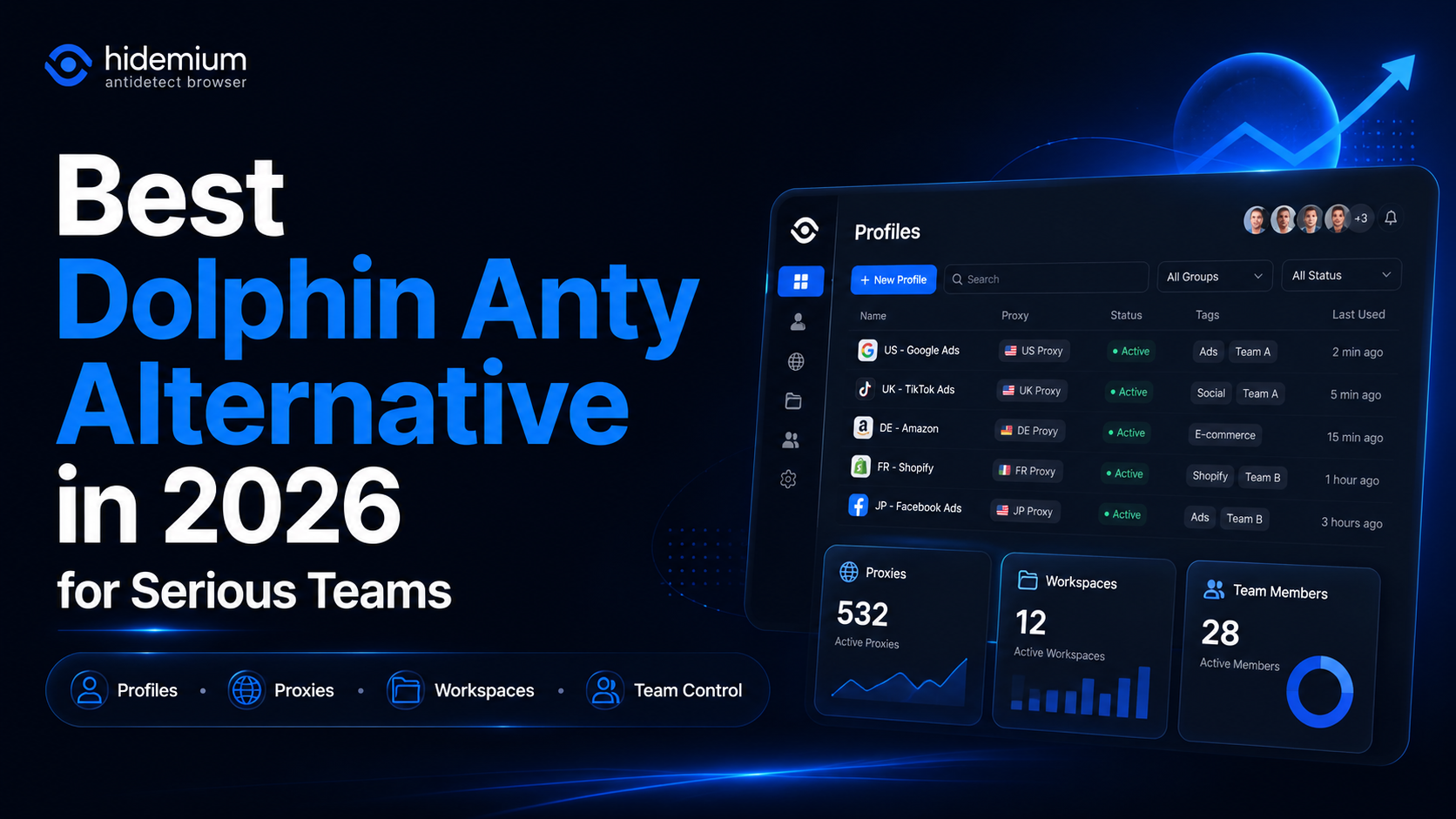
What is the best Dolphin Anty alternative in 2026?The best Dolphin Anty alternative in 2026 is Hidemium for teams that need stronger control over browser profiles, proxies, workspaces, team access, and multi-account operations.Dolphin Anty is known among affiliate marketers and media buyers. It can be useful for campaign-focused workflows where speed matters. But not every team wants only a fast[…]

How to Integrate IPRoyal with Hidemium — Complete Privacy at Your FingertipsIn today’s digital landscape, privacy, speed, and scalability are crucial. Whether you’re a digital marketer, developer, or eCommerce entrepreneur, managing multiple accounts and operations demands tools that are secure, seamless, and efficient.That’s why combining Hidemium with IPRoyal creates a powerful solution — one[…]

Trong sự kiện đáng chú ý, chúng tôi rất vui thông báo rằng Hidemium V4 đã được hoàn thiện và chính thức đi vào hoạt động! Phiên bản này không chỉ là một bản cập nhật đơn giản mà còn là một bước tiến lớn đánh dấu sự thay đổi hoàn toàn của Hidemium. Cùng đồng hành với chúng tôi khám phá vẻ mới mẻ, tính năng độc đáo và hiệu suất vượt trội mà Hidemium V4 mang lại. Hãy là những người đầu tiên trải[…]
